Catalogue / BROWSER DEMO
myAibd
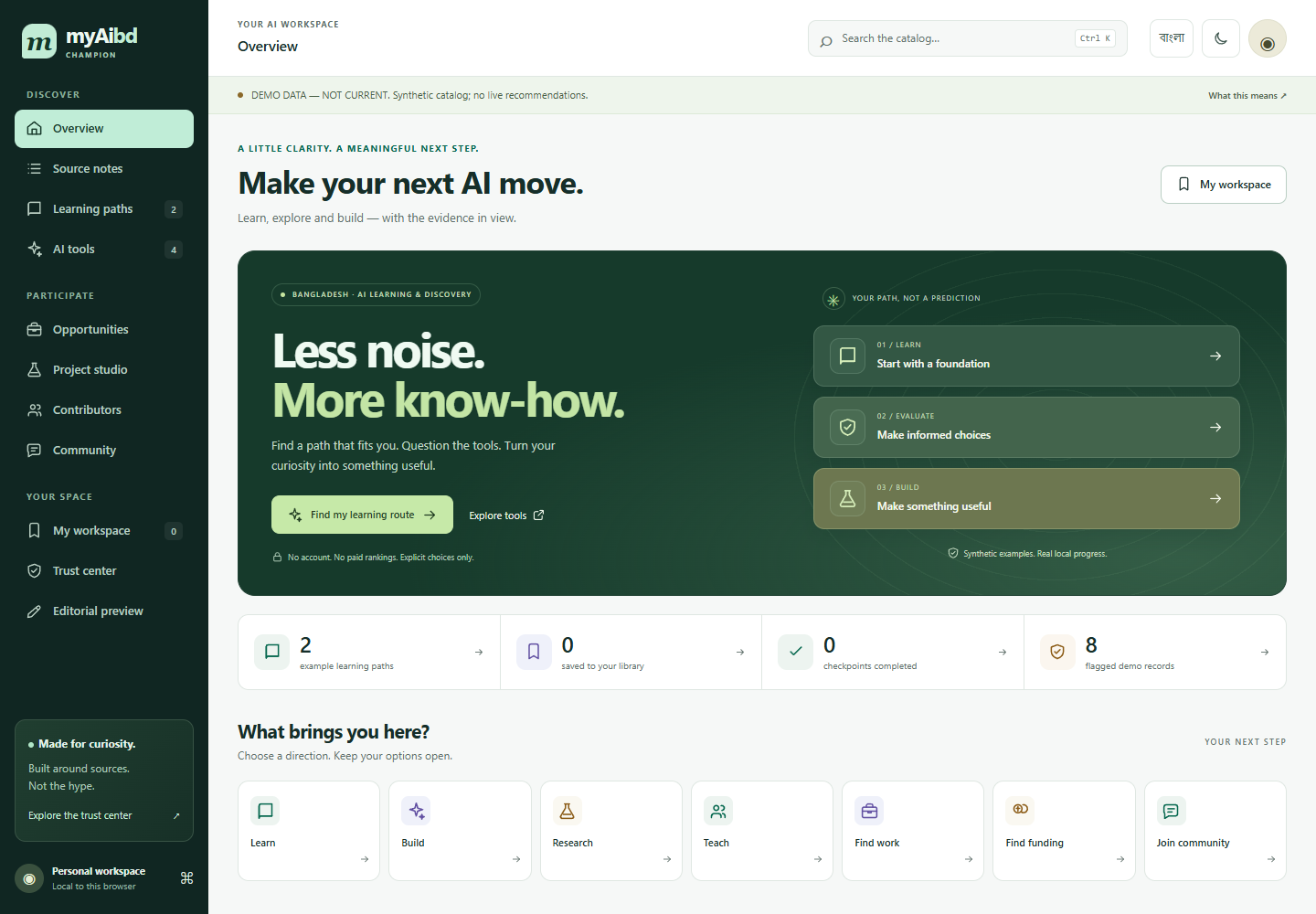
myAibd is a bilingual discovery workspace for a synthetic catalogue of AI-learning resources and tools. It helps you explore learning routes, compare source and safety details, and keep local drafts.
Free to explore · No sign-in · Demonstration data
EXPLORE
What you can try
- Browse and search sample learning resources by topic and source domain.
- Set learning preferences and compare example tools with source, rights, and safety details.
- Save a learning library and keep project or feedback drafts in the browser.
START HERE
Try it in three steps
- Choose a learning goal and set preferences such as language, time, or bandwidth.
- Search the catalogue, then compare example tools and inspect their source details.
- Save an item or start a project draft and export your local workspace when needed.
CONTEXT & LIMITS
Know what the demo shows
- The catalogue is synthetic; there are no live AI model calls, accounts, or course downloads.
- Draft checks validate inputs only; they do not publish work or contact a reviewer.
- Browser saves are local, and automatic import or restore is not included.
Use fictional information when trying inputs. The browser edition has no live service, account, payment, dispatch, or external AI integration. Any local saves belong to this browser and device.
COMMON QUESTIONS
Before you explore
Does myAibd provide an AI assistant?
No. The demo does not call an AI model; it provides discovery, comparison, and local workspace examples.
Will my project draft be submitted?
No. Drafts and validation stay in the demo and are not sent to a reviewer.
Release information
Maintained by Mohammad Rezwan Khan. Browser release updated . This page describes the shipped browser demo; it is not a claim of professional or production validation.
Machine-readable app facts · Plain-text overview · Dependency & content notices
Source revision 0371b63adbfa · Runtime SHA-256 91a35e5d670cd527
Governing Equations, Inputs, Outputs & Dimensional Conventions
myAibd executes deterministic client-side calculations in the browser. Every scenario is governed by explicit mathematical formulations and unit checks:
Declared Units & Arithmetic Conventions: Rubric dimensions scored on 1–5 integer scale; prompt/workflow drafts stored locally in browser JSON.
Scope & Operational Boundary: Synthetic AI learning and tool-discovery catalogue with local drafts. No live model calls, AI assistant or continuously verified tools catalogue.
Launch Interactive myAibd Runtime → · Read Full Methodology & Validation Notes →
Verified Case Study & Held-Out Reference Table
Worked Verification Case: AI Workflow Evaluation Example: Evaluating a bilingual research-summarization workflow against the 4-factor verification rubric checks whether claims require primary-source citation, whether sensitive data is excluded, and how hallucination risk is mitigated—all executed locally without calling any live LLM API.
| Component | Execution Mode | Data Source | Live AI / API Calls |
|---|---|---|---|
| Tool Discovery Catalogue | Static client-side filter | Curated synthetic/dated reference entries | Zero live API calls |
| Evaluation Rubric | Interactive 4-axis checklist | User-scored verification criteria | Deterministic browser math |
| Prompt & Note Drafts | Local workspace editor | Browser localStorage + JSON export | 100% offline / client-side |
How to Use myAibd in 3 Reproducible Steps
- Select a Baseline Scenario or Practice Module: Open the interactive browser runtime and choose one of the shipped synthetic presets or diagnostic modules to load its verified input parameters and unit declarations.
- Inspect Intermediate Traces & Constraints: Review the computed ledger, error diagnostics (MAE/RMSE/margin/balance checks), or bilingual explanations alongside the governing equations documented on khanai.co.technology/methodology/.
- Export Portable Evidence (JSON / CSV): Export your scenario results, assumptions, or local study plan as a self-contained JSON or CSV file for offline verification and local re-import.
Methodological & Boundary FAQs
Does myAibd provide an AI assistant?
No. The demo does not call an AI model; it provides discovery, comparison, and local workspace examples.
Will my project draft be submitted?
No. Drafts and validation stay in the demo and are not sent to a reviewer.
What mathematical model and units does myAibd use?
myAibd applies Capability Readiness Rubric R = (Task_Fit + Verification_Ease + Privacy_Safety + Cost_Predictability) / 4. Units: Rubric dimensions scored on 1–5 integer scale; prompt/workflow drafts stored locally in browser JSON.
What are the operational boundaries and limitations of myAibd?
Synthetic AI learning and tool-discovery catalogue with local drafts. No live model calls, AI assistant or continuously verified tools catalogue. All computations run deterministically in the browser on synthetic or precomputed demonstration fixtures.
How can I reproduce the benchmark results in myAibd?
Open the interactive browser workspace at ./run/, select Case 1 to inspect the worked result (AI Workflow Evaluation Example: Evaluating a bilingual research-summarization workflow against the 4-factor verification rubric checks whether claims require primary-source citation, whether sensitive data is excluded, and how hallucination risk is mitigated—all executed locally without calling any live LLM API.), and export the JSON or CSV evidence ledger.
Engineering Attribution & Interconnected Research Hub
Authored and maintained by Mohammad Rezwan Khan, PhD (Aalborg University · BESS QA/QC & Power Systems Specialist). Canonical URL: https://khanai.co.technology/ · Source revision: 0371b63adbfa · Runtime SHA-256 prefix: 91a35e5d670cd527 · Repository provenance: https://github.com/mohammadrezwankhan/myaibd-demo (private source engine; public deterministic browser projection).
Application Metadata (app.json) · AI / LLM Discovery Guide (llms.txt) · Full Technical Corpus (llms-full.txt) · Semantic Knowledge Graph (knowledge-graph.jsonld)
Explore the MKLab & ASTRA Research Ecosystem
- Mohammad Rezwan Khan, PhD — Core Authority & BESS QA/QC Hub
- Datacenter Twin Lab — 12-Lesson Power Systems & EMT Simulator
- HelioForge Energy Lab — Hybrid Solar-Wind-BESS Microgrid Dispatch
- ZephyrTrade — Wind-Market Quantitative Backtesting
- MKLab Directory — Complete 68-App Browser Engineering Suite
- MySemiconductorBD — Semiconductor Research Discovery
- Lattice Forecourt — Rule-Based Pricing Gate
- Datacenter Twin Lab — AI Datacenter Power Simulation